Over half of all UWin33 sessions in Malaysia happen on a smartphone. The platform is engineered to match that reality: a purpose-built Android APK for native performance, and a full Progressive Web App that runs in Safari on iPhone or Chrome on Android without any installation. Both options deliver the complete UWin33 experience — every game, every betting market, all payment methods and 24/7 live chat — optimised for touch interfaces and Malaysian mobile networks.
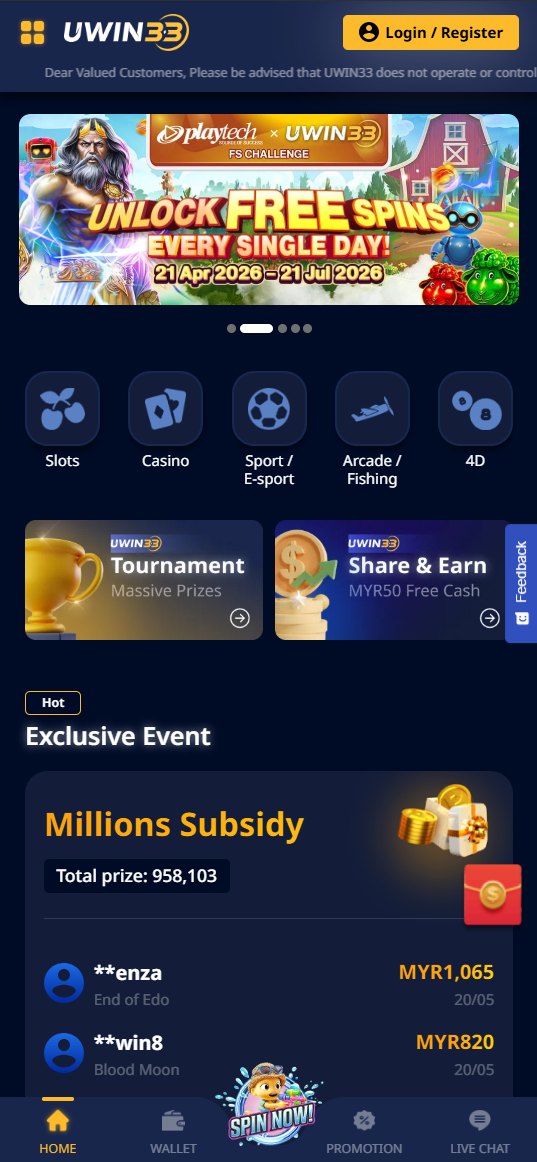
Android APK — Step-by-Step Installation
The UWin33 Android APK is a direct installation file — faster launch than a browser tab, persistent login sessions, and push notifications for withdrawals, deposit confirmations and bonus alerts.
Installation Guide
- Open Settings on your Android device. Navigate to Security (or Privacy on Android 10+).
- Enable "Install from Unknown Sources" or "Install Unknown Apps" for your browser app.
- Open the UWin33 website in your Android browser and tap the Download App button.
- When the download completes, open the APK from your notification shade or Downloads folder.
- Tap Install on the confirmation prompt. Installation takes under 30 seconds.
- Tap Open and log in with your existing credentials — or register a new account directly in the app.
APK Technical Requirements
| Requirement | Value |
|---|---|
| Android Version | Android 6.0 (Marshmallow) or higher |
| File Size | ~50 MB |
| RAM (Minimum) | 2 GB |
| RAM (Recommended) | 3 GB+ for live casino HD streaming |
| Network | 4G or Wi-Fi recommended · 3G minimum |
| Updates | Manual — check via app Settings → About |
Security: Download exclusively from the official UWin33 website. APK files from third-party sources (Telegram groups, mirror sites, unofficial app stores) may contain malware. The official APK is always free and carries no hidden charges.
iPhone & iPad — Safari PWA
Apple's App Store prohibits real-money gambling apps, so UWin33 is not listed there. The full platform runs instead as a Progressive Web App in Safari — identical feature set, no App Store approval required. Add it to your Home Screen and it launches as a standalone full-screen application with no visible browser chrome.
Add UWin33 to iPhone Home Screen
- Open Safari on your iPhone. (Must be Safari — Chrome on iOS does not support Home Screen PWA.)
- Go to the UWin33 website and wait for it to fully load.
- Tap the Share icon — the square with an upward arrow at the bottom centre of the screen.
- Scroll through the share sheet and tap "Add to Home Screen".
- Rename the shortcut if desired, then tap Add in the top-right corner.
- The UWin33 icon appears on your Home Screen. Tap it to launch in full-screen mode.
Add to Android Home Screen (Chrome)
- Open Chrome and navigate to the UWin33 website.
- Tap the three-dot menu (top-right).
- Select "Add to Home screen" → Add.
- Launch from Home Screen for a borderless, full-screen experience.
Mobile vs Desktop — Feature Comparison
| Feature | Desktop | Android APK | iOS PWA |
|---|---|---|---|
| All casino games | ✅ | ✅ | ✅ |
| Full sportsbook | ✅ | ✅ | ✅ |
| Live casino HD | ✅ | ✅ | ✅ |
| FPX / DuitNow / TNG | ✅ | ✅ | ✅ |
| Push notifications | ❌ | ✅ | Limited (iOS 16.4+) |
| Download required | ❌ | APK (~50 MB) | ❌ |
| Auto-updates | ✅ | Manual | ✅ |
Game Performance on Mobile
| Category | Mobile Experience | Recommended Network |
|---|---|---|
| JILI Slots | Excellent — built for mobile-first | 3G+ |
| PG Soft Slots | Good — HD graphics benefit from 4G | 4G |
| 918Kiss Slots | Excellent — lightweight, fast load | 3G+ |
| Fishing Games | Excellent — tap-to-shoot perfect for touch | 3G+ |
| Live Baccarat | Good — HD video needs stable connection | 4G / Wi-Fi |
| CMD368 Sportsbook | Excellent — text-based, loads instantly | 3G+ |
| 4D Lottery | Excellent — minimal data usage | 3G+ |
Mobile Payment Tips
All UWin33 payments are mobile-native. App-to-app redirects make eWallet deposits especially fast on mobile:
- DuitNow QR — open your bank app's QR scanner, scan, confirm. Under 15 seconds total.
- Touch 'n Go — redirects to the TNG app for biometric approval. Instant credit.
- GrabPay — same Grab app redirect flow. No separate top-up needed.
- FPX — redirects to your bank app for PIN or biometric authentication.
- USDT (TRC-20) — compatible with Trust Wallet, Binance and OKX mobile apps.