A large share of UWin33 sessions happens on smartphones, so the platform is built for mobile-first play. Players can use a dedicated Android APK for native performance or open the full Progressive Web App in Safari on iPhone or Chrome on Android without any installation. Both options deliver the complete UWin33 experience — casino games, sports betting markets, available payment methods and 24/7 live chat — optimised for touch interfaces and modern mobile networks.
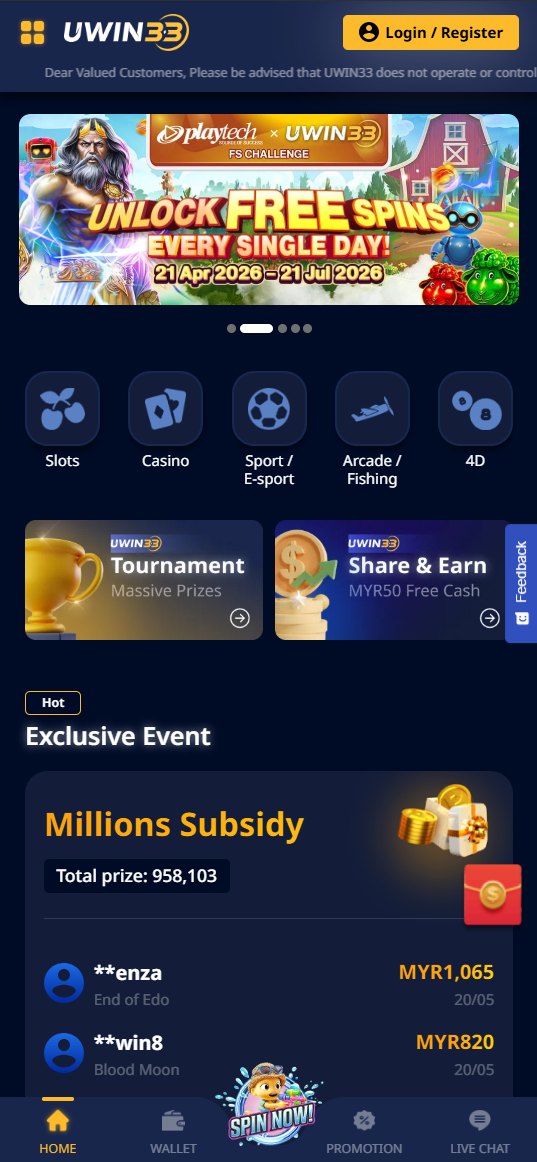
Android APK — Step-by-Step Installation
The UWin33 Android APK is a direct installation file that offers faster launch than a browser tab, persistent login sessions, and notifications for withdrawals, deposit confirmations and bonus alerts where supported.
Installation Guide
- Open Settings on your Android device. Navigate to Security or Privacy, depending on your Android version.
- Enable "Install from Unknown Sources" or "Install Unknown Apps" for your browser app.
- Open the UWin33 website in your Android browser and tap the Download App button.
- When the download completes, open the APK from your notification shade or Downloads folder.
- Tap Install on the confirmation prompt. Installation usually takes under 30 seconds.
- Tap Open and log in with your existing credentials — or register a new account directly in the app.
APK Technical Requirements
| Requirement | Value |
|---|---|
| Android Version | Android 6.0 (Marshmallow) or higher |
| File Size | ~50 MB |
| RAM (Minimum) | 2 GB |
| RAM (Recommended) | 3 GB+ for live casino HD streaming |
| Network | 4G or Wi-Fi recommended · 3G minimum |
| Updates | Manual — check via app Settings → About |
Security: Download exclusively from the official UWin33 website. APK files from third-party sources, mirror sites or unofficial app stores may contain malware. The official APK should always be free and should not require extra installation fees.
iPhone & iPad — Safari PWA
UWin33 may not be available as a standard App Store download in every region, so the full platform also runs as a Progressive Web App in Safari. This gives players the same core feature set without App Store installation. Add it to your Home Screen and it launches as a standalone full-screen application with no visible browser chrome.
Add UWin33 to iPhone Home Screen
- Open Safari on your iPhone. Safari is recommended for the best Home Screen PWA support.
- Go to the UWin33 website and wait for it to fully load.
- Tap the Share icon — the square with an upward arrow at the bottom centre of the screen.
- Scroll through the share sheet and tap "Add to Home Screen".
- Rename the shortcut if desired, then tap Add in the top-right corner.
- The UWin33 icon appears on your Home Screen. Tap it to launch in full-screen mode.
Add to Android Home Screen (Chrome)
- Open Chrome and navigate to the UWin33 website.
- Tap the three-dot menu in the top-right corner.
- Select "Add to Home screen" → Add.
- Launch from Home Screen for a borderless, full-screen experience.
Mobile vs Desktop — Feature Comparison
| Feature | Desktop | Android APK | iOS PWA |
|---|---|---|---|
| All casino games | ✅ | ✅ | ✅ |
| Full sportsbook | ✅ | ✅ | ✅ |
| Live casino HD | ✅ | ✅ | ✅ |
| Bank cards / e-wallets / crypto | ✅ | ✅ | ✅ |
| Push notifications | ❌ | ✅ | Limited on supported iOS versions |
| Download required | ❌ | APK (~50 MB) | ❌ |
| Auto-updates | ✅ | Manual | ✅ |
Game Performance on Mobile
| Category | Mobile Experience | Recommended Network |
|---|---|---|
| JILI Slots | Excellent — built for mobile-first | 3G+ |
| PG Soft Slots | Good — HD graphics benefit from 4G | 4G |
| 918Kiss Slots | Excellent — lightweight, fast load | 3G+ |
| Fishing Games | Excellent — tap-to-shoot mechanics fit touchscreens well | 3G+ |
| Live Baccarat | Good — HD video needs stable connection | 4G / Wi-Fi |
| CMD368 Sportsbook | Excellent — text-based, loads quickly | 3G+ |
| Lottery-Style Games | Excellent — minimal data usage | 3G+ |
Mobile Payment Tips
UWin33 supports mobile-friendly cashier flows. Available options may vary by region, but the most common methods are designed to work smoothly from a smartphone:
- Bank cards — enter the amount, confirm the payment through your bank's security step, and wait for the balance to appear.
- E-wallets — where supported, wallet payments usually redirect to a secure approval screen for quick confirmation.
- Bank transfer — copy payment details carefully and include the correct reference to avoid delays.
- Instant payment services — some regions support fast local payment rails for near-instant deposits.
- USDT / crypto — check the network carefully before sending funds and confirm that the deposit address matches your selected chain.